INNOV-AI

Innovation and Research from Réunion Island, France

Back   Home

Get a concat job script into clipboard @ ADMIN - Administration @ MentDB Weak

> Start the server
> (or start the server for the first time (embedded mode - H2 Database))
> (or start the server for the first time (remote mode - MySQL 8 Database))
> Open the MentDB Weak Editor

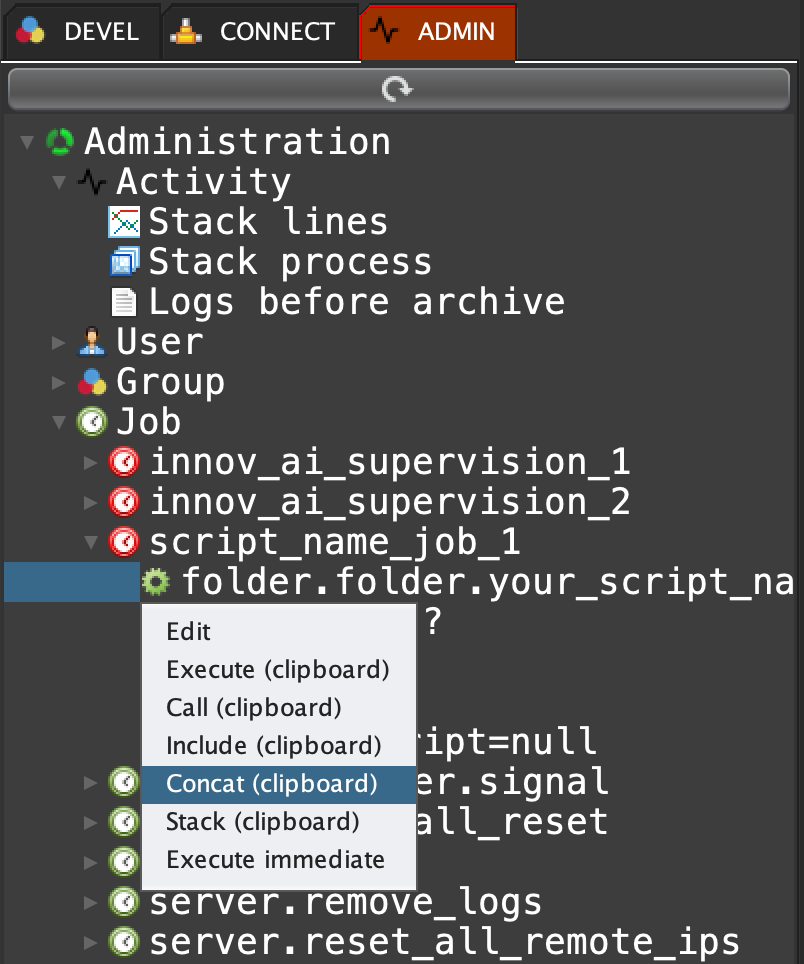
Click on 'ADMIN' tab, open 'Job', open the job 'script_name_job_1', right click on the script 'folder.folder.your_script_name.exe', and select 'Concat (clipboard)'
[CTRL]+V (or [Apple]+V on OSX) on an input page:

MQL INPUT
concat "include \"folder.folder.your_script_name.exe\"
	\"[v1]\" \"" (mql encode [v1]) "\"
	\"[v2]\" \"" (mql encode [v2]) "\"
;"

start: 2026-01-17   end: 2026-01-27   v_start: 400   v_end: